AI Karaoke CD+G Creator Features
Explore vocal removal, lyric timing, CDG/BIN output, and editing controls
Explore the CD+G creation and editing tools
Start with an MP3 or WAV soundtrack and matching lyrics, use AI assistance for vocal removal and timing, then review and style the result. Export a CDG graphics file with its companion audio for computer playback, or a BIN file for later CD+G disc writing.
Follow the complete creation workflow, compare Standard and Pro, or check the free-trial limitations before downloading.

AI-assisted song creation
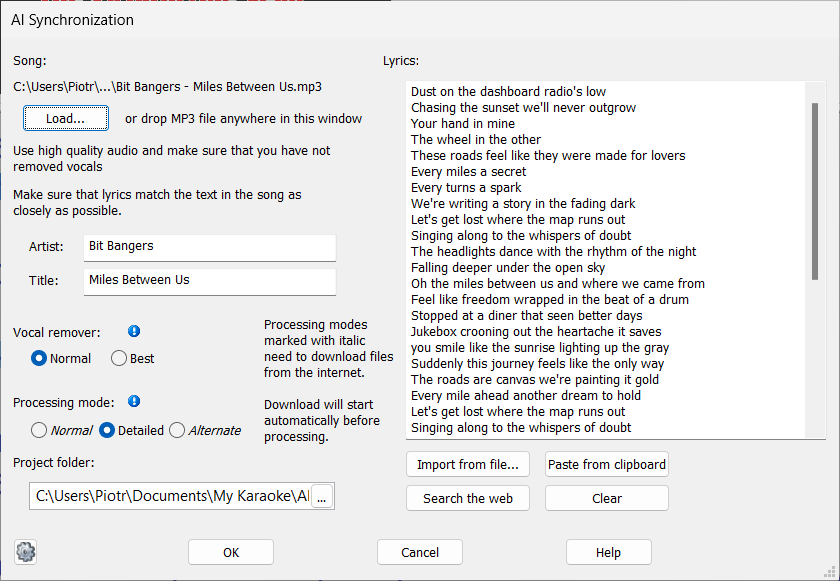
Load an MP3 or WAV file and lyrics that match the recording word for word.
AI Vocal Remover can reduce the lead vocal and includes an option that tries to retain backing vocals.
AI Synchronization prepares an initial lyric-timing pass.
Listen to the backing track, watch the highlighted words, and correct line or word timing before export.
See the step-by-step AI tutorial.
Processing time depends on your computer, the song, and the selected modes.
A supported NVIDIA GPU can accelerate AI processing. Some modes require downloading additional files.
Style your CD+G lyrics

Create page-by-page lyric screens with your own fonts, colors, title screens, and credits.
Review the lyric highlighting and screen layout before creating the finished CDG or BIN file.
Visual Styles
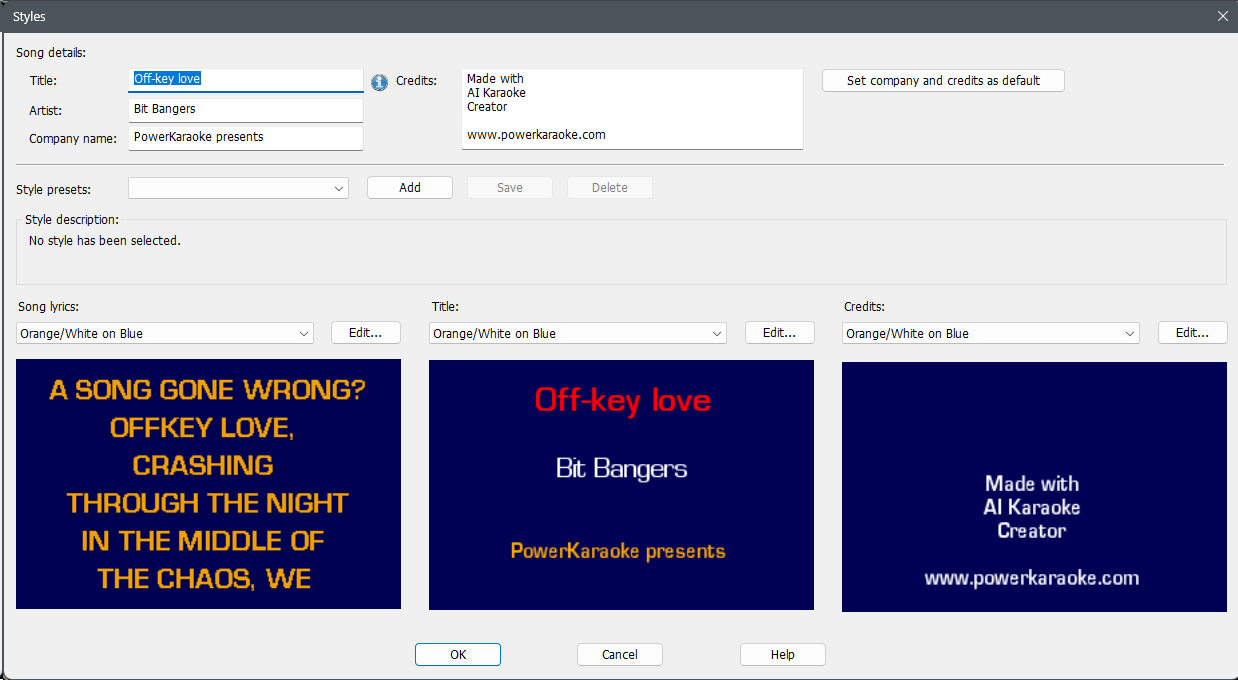
Choose one of the predefined visual styles or create your own.
Styles allow you to apply a common look and feel to your karaoke CD+Gs.
AI Vocal Remover
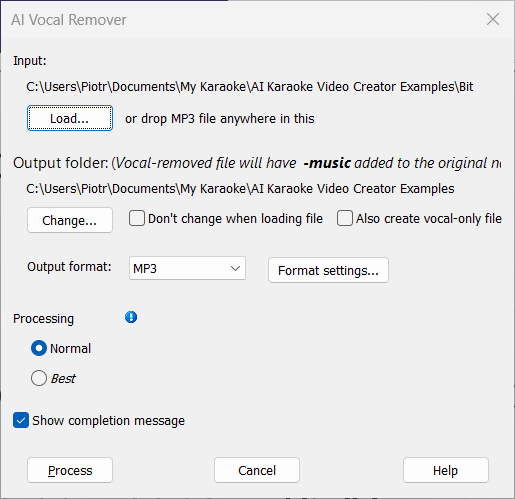
Reduce the lead vocal, with an option that tries to retain backing vocals. Results vary with the source mix; listen to the processed soundtrack before using it.
Import and edit existing CDG files
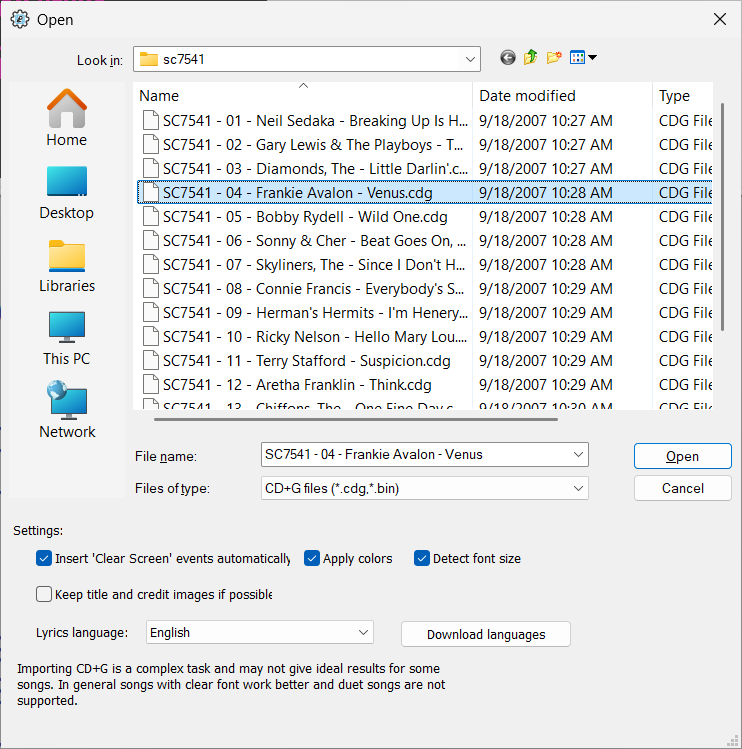
Import recognized lyrics and timing from supported CDG or BIN tracks, then correct the text and synchronization.
A CDG import needs a same-named MP3 soundtrack.
Check the recognized lyrics for spelling errors. Duet and scrolling songs are not supported by this importer.
See the CD+G import procedure.
Advanced Editor
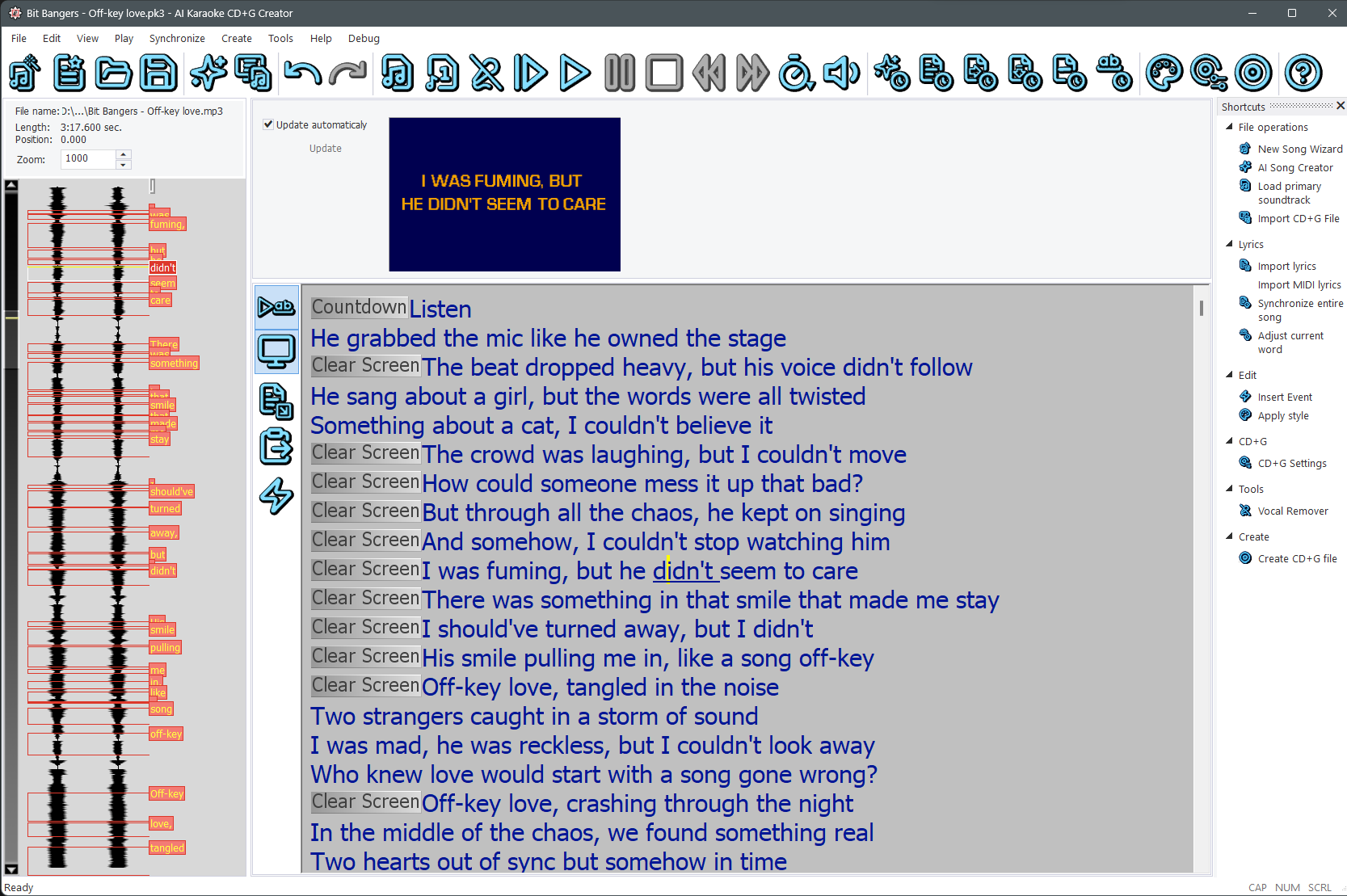
Edit lyrics, add special effects (font and color changes, images), adjust timing precisely, change the page layout, and more.
Manual Synchronization
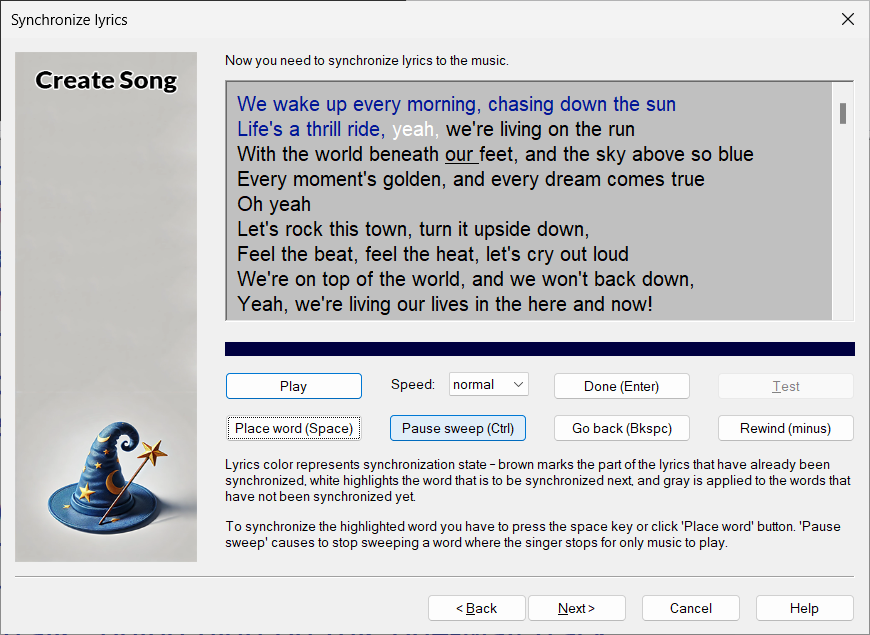
Manually synchronize lyrics to achieve precise timing.
Advanced Display Settings
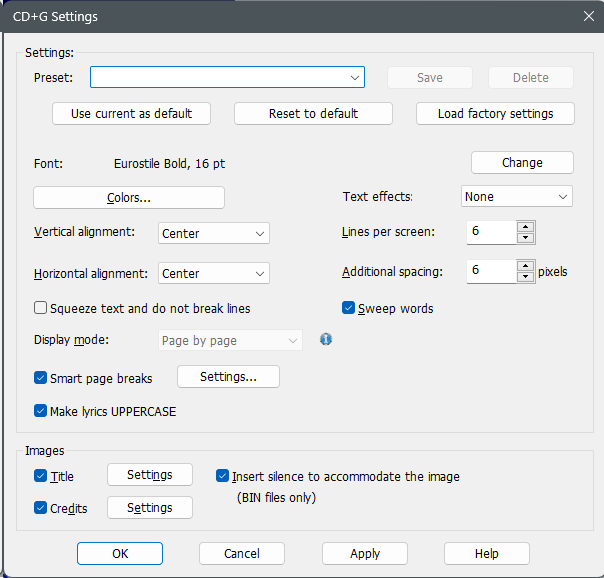
Fine-tune every aspect of the display: number of lines per screen, font face, size, text effects (shadow, outline), text colors, alignment, and more.
Control the flow of text and page breaks with intelligent page breaks.
Fonts and Colors
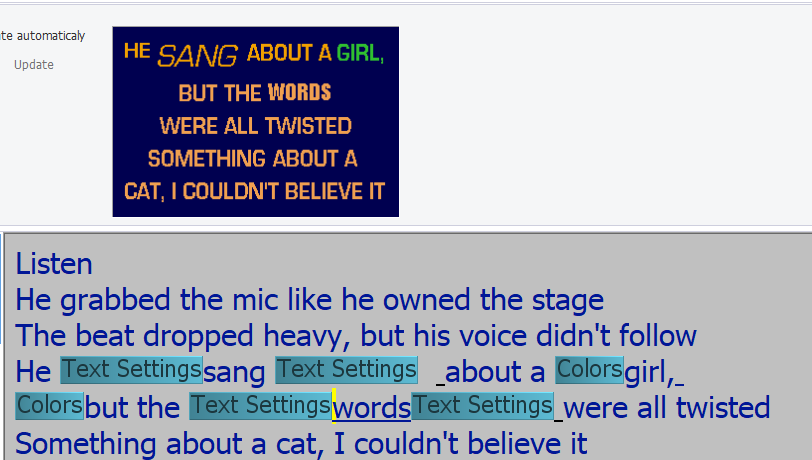
Change the font and color of the lyrics anywhere in the song.
Perfecting Synchronization
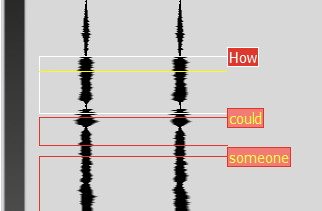
Labels displayed on top of the soundtrack allow you to adjust synchronization with precision.
Play-in-loop mode rotates playback around the current position, letting you adjust timing while listening to the music.
Using a vocal-only track makes it even easier.
Images

Add title and credits images, or display images separately from the lyrics in the Standard edition. Pro also supports images beside or around the lyrics. Compare the editions.
Light and Dark Mode
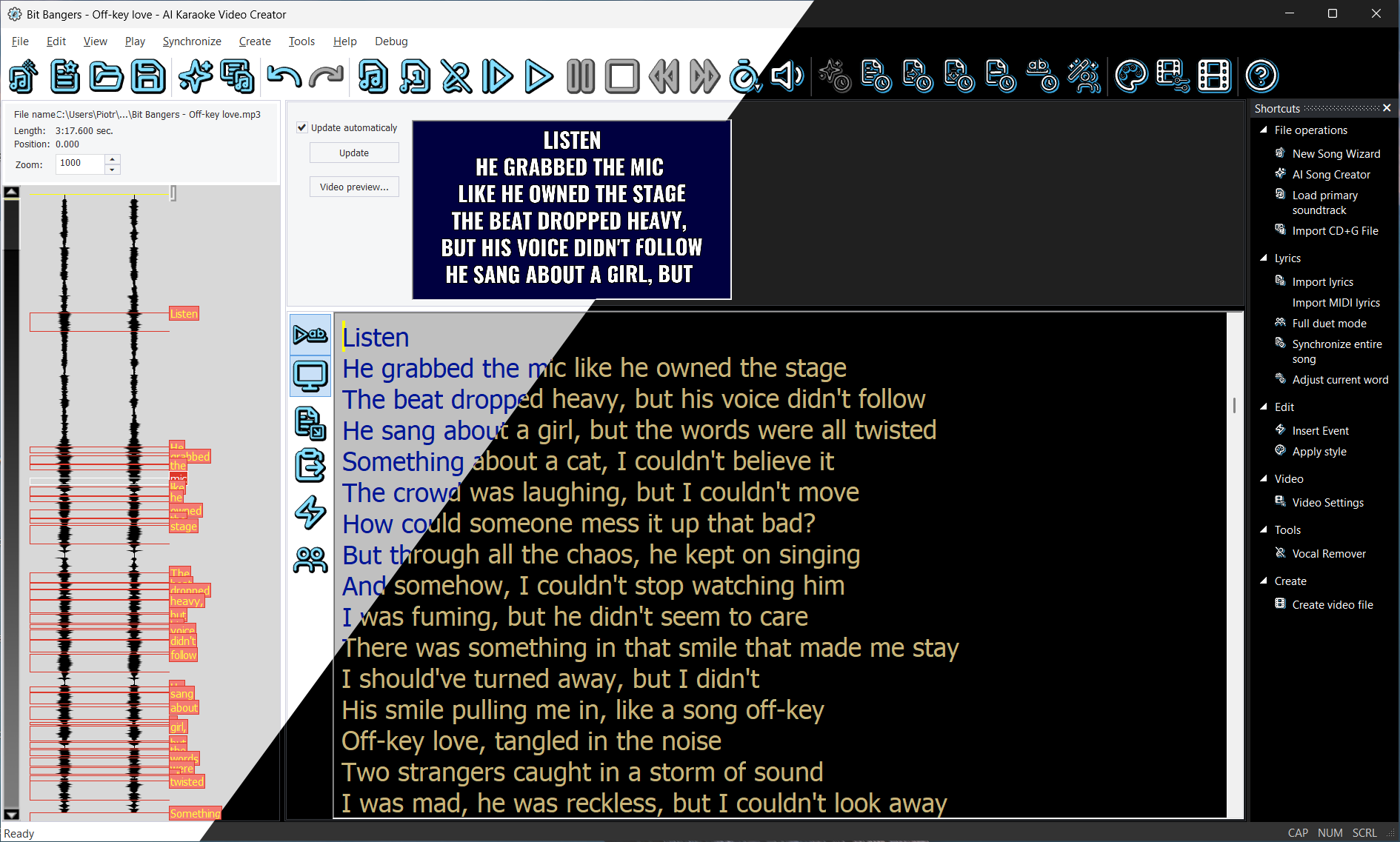
Switch between light and dark display modes.
Review product details and license options, or check the trial limits before choosing a download or purchase below.