Karaoke Articles
Karaoke Host Software for KJs and Professional Shows
Karaoke Host SoftwareKaraoke host software helps a karaoke jockey, or KJ, run an organized show from a computer. This category is also described as professional karaoke software, commercial karaoke software, or karaoke DJ software. It combines karaoke playback with the people-management tools that a busy bar, club, restaurant, wedding, or private event needs: fast song search, singer rotation, requests, announcements, and a separate lyrics display. A basic karaoke player can be enough for casual singing at home. A working KJ needs software that manages the complete show, not just the current song. PowerKaraoke's Windows karaoke hosting software, Siglos Karaoke Professional, is designed for that role. What professional karaoke hosting software should do
A practical KJ workflow1. Prepare and back up the song databaseImport or scan the karaoke folders before the event. The Siglos song database stores information about the tracks while the media files remain on the computer or connected drive. Test search by title and artist, validate moved or missing files, and keep a backup of both the database and the library. A clean database is faster to use and makes duplicate or badly named songs easier to spot. Follow the manual's song database instructions for importing, searching, and exporting a catalog. 2. Test the complete audio and display pathConnect the same mixer, speakers, TV, or projector that will be used at the venue. Confirm that the KJ can see the controls and preview while singers see the intended lyrics screen. Run several sample tracks and test key changes, tempo controls, restart behavior, microphone levels, and an alternate playback plan before guests arrive. The manual's display settings reference explains the available lyrics-screen controls. 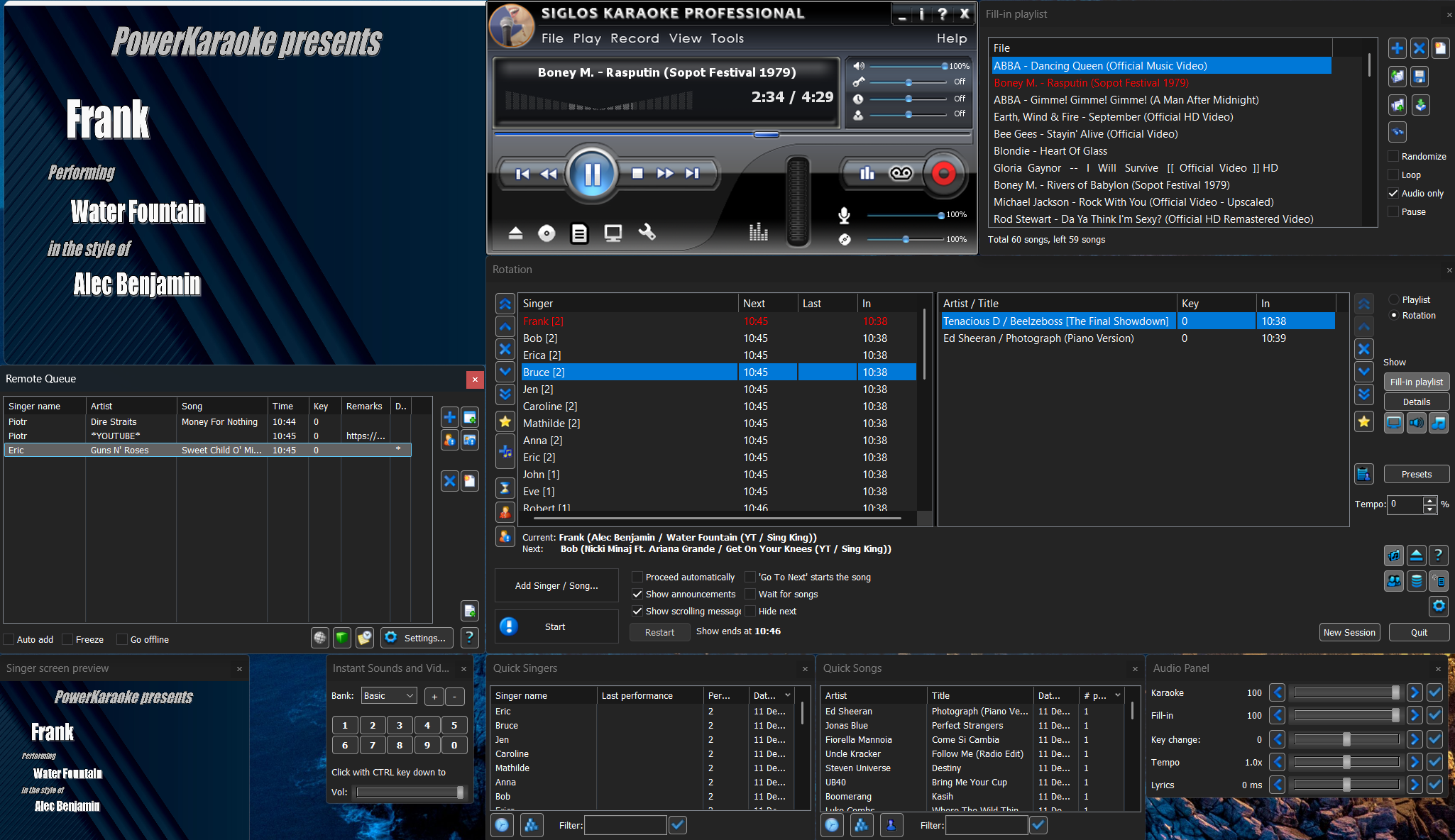
3. Build and run singer rotationAdd a singer, choose a song, and place the entry in rotation. Siglos can keep singer history, remember song and key choices, and tag singers by venue. During the show, the rotation and announcement tools help the host communicate who is performing and who is coming next. See the manual's adding singers and rotation and playback management steps. 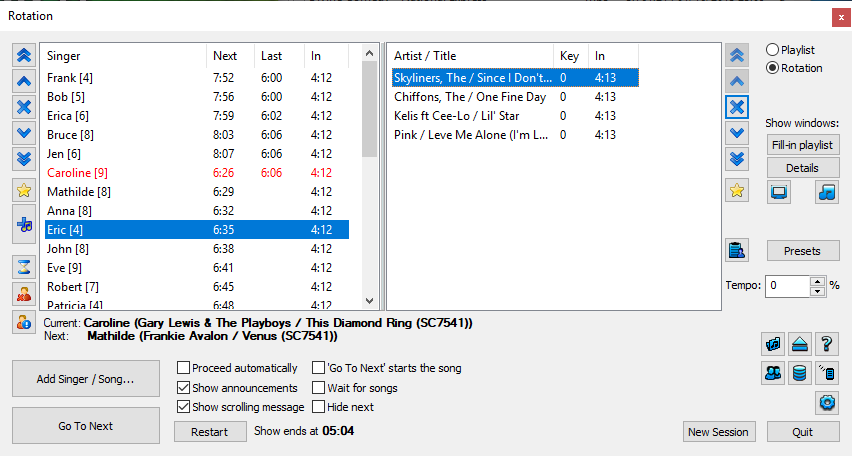
4. Choose a request workflowRemote requests can replace printed songbooks and paper slips. Siglos supports a local-network mode for devices connected to the show network. Its internet-server mode uses a ConnectKaraoke account and can provide a direct link or QR code. Singers browse the catalog and submit requests; the KJ can review them before adding them to rotation or configure an automatic workflow. Use the remote-access manual to choose and configure the connection mode. 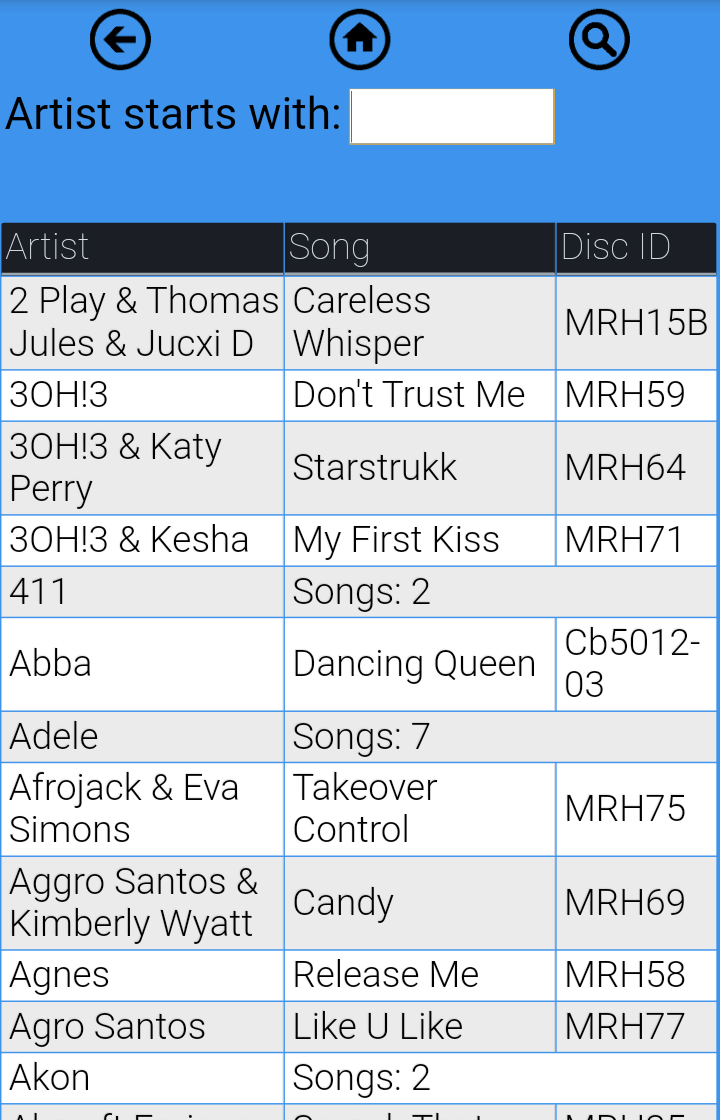
5. Keep the room movingUse a fill-in playlist between singers, clear announcements, and predictable rotation rules. Automatic playback controls can continue the prepared sequence when appropriate, but a KJ should still monitor the room, audio, requests, and the next performer. The fill-in playlist instructions explain how background music starts when no karaoke song is playing. 6. Verify every library formatScan each file type that will be used at the show and play representative tracks before the event. The current supported file types list covers CD+G/MP3+G, BIN, ZIP, MIDI/KAR, KMA, and common video formats. Format support is not a substitute for testing the actual files, codecs, storage drive, and output setup. KJ software terminology and comparisonsKJ software, karaoke host software, and karaoke hosting software usually describe the same category: software for running a managed karaoke show. A KJ player may describe either a simple player or a full hosting program, so check for rotation, database, request, and second-screen features rather than relying on the label alone. Some searches use product-name phrases such as “KJ Deluxe.” That is not the name of a PowerKaraoke product; this guide describes the workflow and current documentation for Siglos Karaoke Professional. When comparing products, verify Windows compatibility, supported formats, request modes, and show-management features in each vendor's current documentation. Local and online featuresLocal karaoke files, the song database, rotation, and ordinary playback can be prepared for a show that does not depend on internet access. Internet-based ConnectKaraoke requests and online song sources require a working connection and their applicable service or account. If connectivity is uncertain, test the local-network request mode and keep enough local songs and backup media for the event. Choose the right PowerKaraoke productChoose Siglos Karaoke Professional when you need singer rotation, database search, remote requests, announcements, fill-in music, and a hosted-show workflow. For home playback and recording without professional rotation management, Siglos Karaoke Player/Recorder 2 is the more focused option. If you are selecting the complete venue setup rather than software alone, use the karaoke system for a bar, restaurant, or nightclub guide to plan the laptop, audio, microphones, displays, library, and backups. You can review the Siglos Professional quick start before a show, or download the Siglos Karaoke Professional trial. Karaoke Host Software FAQWhat is the best karaoke host software for Windows?Siglos Karaoke Professional is the PowerKaraoke option for Windows-based karaoke hosting, KJ shows, singer rotation, remote song requests, and dual-screen lyrics. Can singers request songs from their phones?Yes. Siglos Karaoke Professional includes ConnectKaraoke online access so singers can browse your song list and send requests from their phones. Can I use regular player software for a paid KJ show?For casual home use, Siglos Karaoke Player/Recorder is enough. For paid or public shows, use Siglos Karaoke Professional because it includes show-management tools. Related Articles |